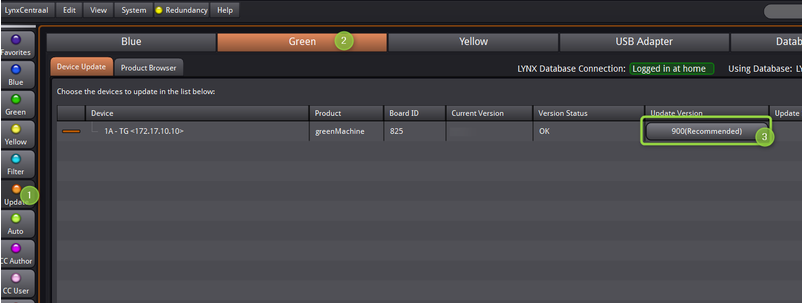
ONLINE upgrade procedure
The following steps are required to update the firmware of a greenMachine.
In LynxCentraal go to Update > Green to select the update version from drop down list under "Update Version":
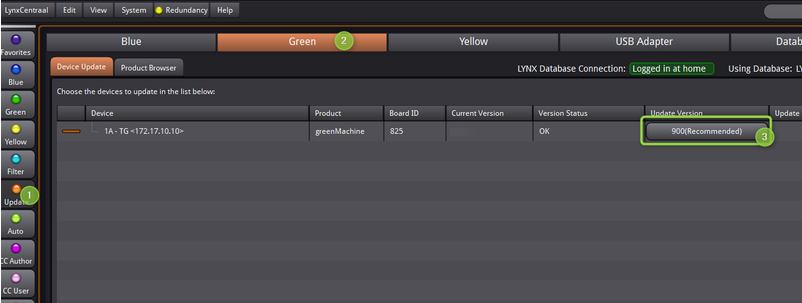
Once the online update was successfull, greenMachine will automatically reboot with the latest version.
OFFLINE upgrade procedure
In order to update a greenMachine offline, you will need to download the latest LYNXOfflineDatabase.exe and install.
https://www.lynx-technik.com/downloads/lynxcentraal/
- After download the latest LYNXOfflineDatabase.exe and install
- Run LynxCentraal and go to Update> Database Setttings
- Enable the checkbox “Offline”
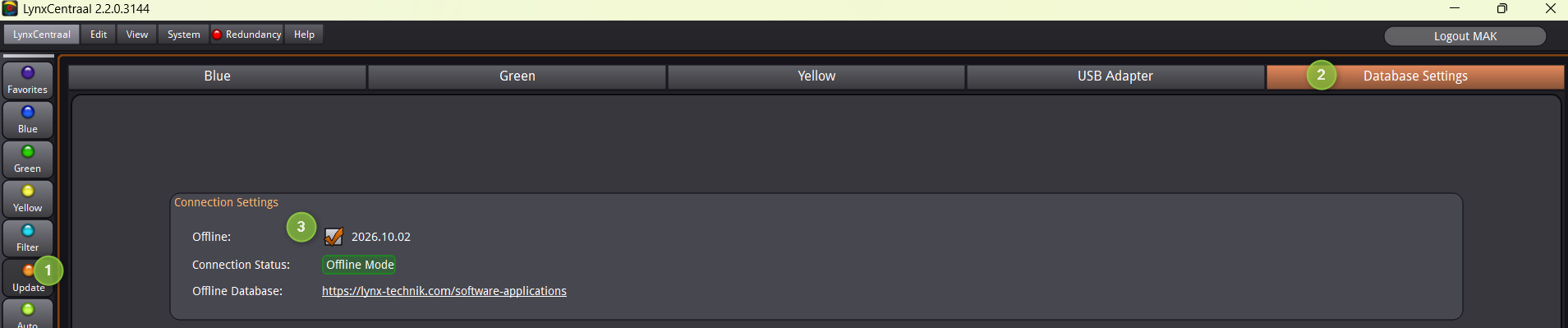
Next step would be to check, whether there is a new firmware version available and install as following:
In LynxCentraal go to Update > Green to select the update version from drop down list under "Update Version":