
In some rare cases, especially when backups are created quickly after changing settings of a device, these settings can be stored incorrectly to the backup file. To avoid errors like these we recommend to use the "Save settings"-function in the LynxCentraal.
To do so :
Right click on the device and select "Save settings now"
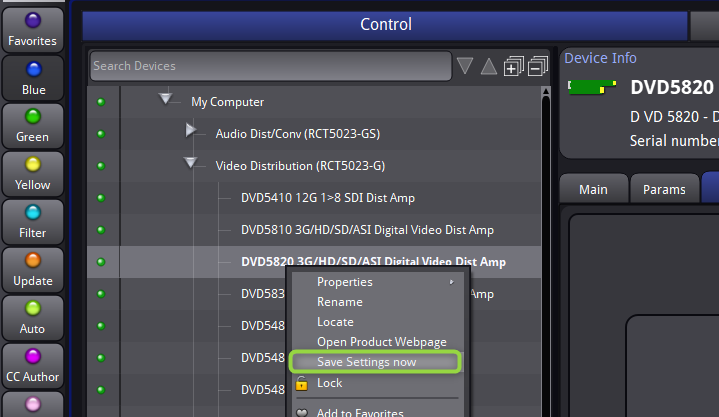
This function forces the storage of settings to the device´s memory. That procedure makes sure all changes are stored and ready to be written into a backup file.
The "save settings" (storage to device memory) will be automatically triggered in 10 seconds after the last changing was done.